
A 64x64 canvas has 4,096 pixels: enough for a face with a real expression, not enough for a crowd. The hardest part is usually the first question: what do I draw?
I spend a lot of time looking at images at exactly this size, because I build Frame, an LED frame with a 64x64 grid. This guide is a list of ideas sorted by category, and for each one I explain why it works or doesn't at 64x64 and give you one concrete tip. It all applies to a Divoom Pixoo 64, a homemade LED matrix or a plain screen.
The pixel art images in this guide are simple illustrations I made for it, so you can see each tip at real pixel size. They're enlarged 8 times with nearest neighbour so every pixel stays a crisp square.
The short answer
- Easiest ideas: a sunset, a heart, a single fruit, a pet silhouette, an icon like a mug or a plant.
- Most rewarding: a portrait where the face fills the canvas, or your pet seen close up.
- Rule of thumb: one subject, a big clear shape, a simple background and a small palette of 8 to 16 colours.
- Avoid: crowds, long sentences, tiny details and very dark scenes, especially on an LED panel.
Portraits and faces
A face is the most rewarding thing you can draw at 64x64. Our brain is extremely good at completing faces, so a few pixels in the right place read as a person.
Why it works: if the face fills most of the canvas, it gets around 40 pixels across. That's enough for eyes, eyebrows, a mouth and the shape of the hair.
Why it fails: the moment you add a body, a background or a second person, each face shrinks. At 8 to 10 pixels wide, an eye is a single pixel and every face looks the same.
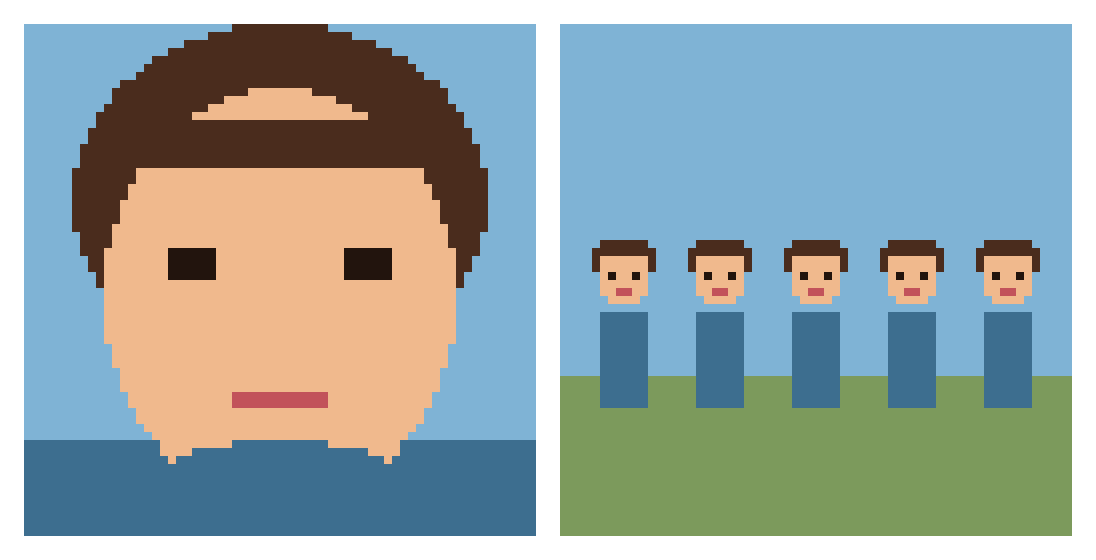
On the left, a face about 44 pixels wide, where each eye is a 6x4 block. On the right, five people in the same 64x64 canvas: about 8 pixels per face, one pixel per eye. Same idea, very different result.
Tip: crop from the chin to the top of the head and let the hair touch the edges. Draw the eyes as small blocks of 2 to 3 pixels, not single dots, and spend your darkest colour on them. If you start from a real photo, my guide on how to convert a photo to 64x64 pixel art shows which photos survive the shrink.
Pets
Pets are the second best subject, and often easier than people.
Why it works: cats, dogs and rabbits have very recognisable outlines. Ears and tail tell you what animal it is before you see any detail.
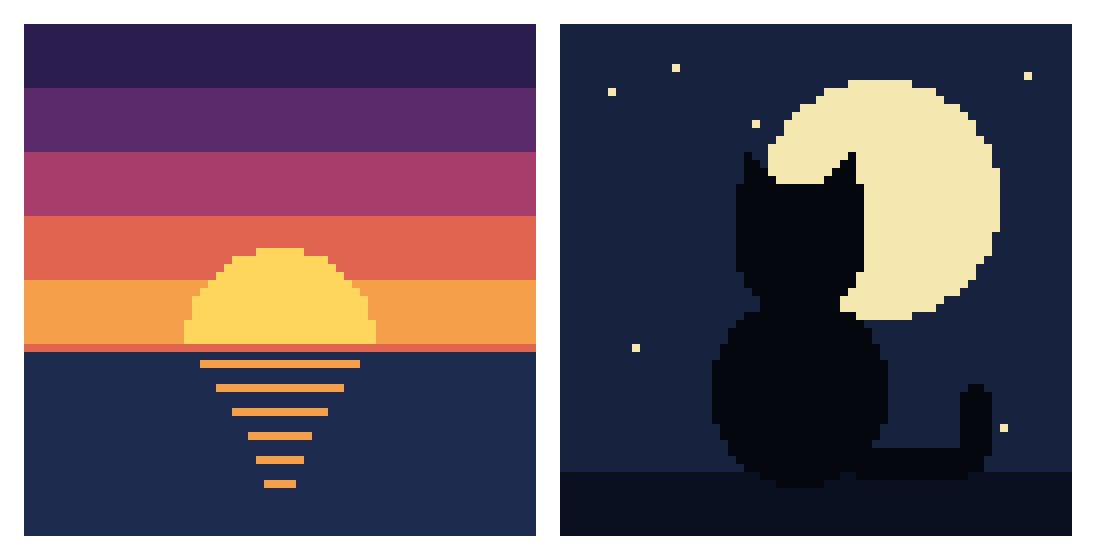
Tip: pick a pose with a clear silhouette: a cat sitting from behind, a dog in profile, a rabbit with its ears up. If you can recognise it filled in solid black, it will work. A black cat in front of a big pale moon is one of the easiest pieces you can draw.
Landscapes and skies
Wide landscapes are hard at 64x64, but skies are easy and look great, especially on an LED panel where gradients glow.
Why it works: a sunset is just horizontal bands of colour, and bands are what pixels do best. The sunset above uses 7 colours: five for the sky, one for the sun and one for the sea. The reflection lines just reuse a colour from the sky.
Why it fails: a full mountain range with a town and a forest gives each element a few rows of pixels, and it turns into stripes.
Tip: pick one landmark and make it big: a lighthouse, a single tree, a mountain peak, a moon. Draw the sky in 4 or 5 flat bands instead of a smooth gradient. Flat bands look intentional; a gradient made of 30 shades just looks like a blurry photo.
Food
Food is great practice: simple shapes, strong colours.
Ideas that work: a slice of pizza, a strawberry, a fried egg, a cup of coffee seen from above, a sushi roll, a doughnut, an orange cut in half.
Tip: draw food big and from the most recognisable angle. A fried egg reads best from above, a cup of coffee from the side with steam. Add one light pixel of shine on the surface: a single highlight makes a strawberry or a doughnut look glossy instead of flat.
Icons and objects
Old games and computers trained us to read icons, so they feel right at home here.
Ideas that work: a heart, a star, a key, a potion bottle, a house plant, a mushroom, a game controller, a cassette, a sword, a coin.
Tip: give the shape a dark outline. On a busy background, an outline is what keeps the object from melting into everything around it. It doesn't have to be black: a very dark version of the object's own colour looks softer.
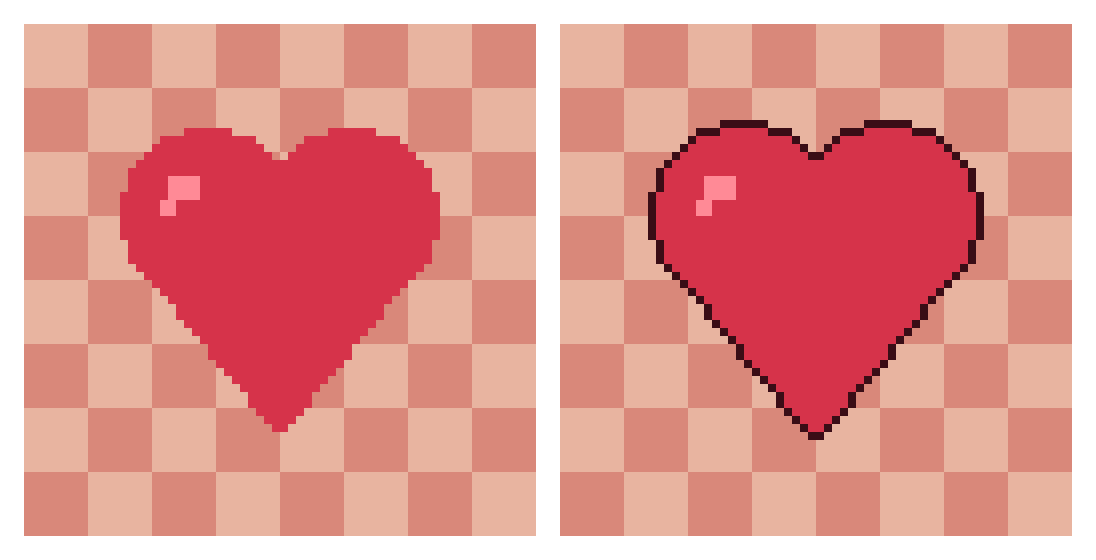
The heart on the left blurs into the checked background. The one on the right, with a one pixel dark red outline, stands out immediately.
Text and words
The maths: a small 5x7 pixel font with one pixel between letters fits about 10 characters per line. An 8x8 font fits 8 characters per line and 8 lines in total, with no space for anything else.
What works: one short word, a name, initials, a date, a number. "HOME", "HI MUM", "2027", a pair of initials inside a heart.
Tip: pick a fixed pixel font and don't try to draw letters at a fractional size. Leave at least one empty pixel around the text, and put it on a flat background with strong contrast: light text on dark, or the other way around.
Seasonal ideas
- Winter: a snowman, a mug of hot chocolate, a single snowflake, a window with snow falling.
- Spring: a tulip, a bird on a branch, a rain cloud with a small rainbow.
- Summer: a watermelon slice, an ice cream, a beach umbrella, a sunset over the sea.
- Autumn: a pumpkin, a falling leaf, a mushroom, a steaming cup.
Tip: let one colour carry the season. Orange for autumn, white and pale blue for winter, green and pink for spring. Build the palette around that colour and keep everything else dark or neutral.
Short animations
Ideas that work: a candle flame flickering, a cat blinking or moving its tail, rain falling, a heart beating, a fish swimming across, blinking stars, a loading bar, smoke rising from a cup.
Why it works: a loop of 4 to 8 frames is enough to feel alive. Only a small part of the image needs to move.
Tip: keep 95% of the image still and animate one thing. A blink is a 2 frame change on a few pixels and it makes a portrait feel alive. Make it loop cleanly, so the last frame leads naturally into the first.
What doesn't work at 64x64
- Crowds and groups. Every extra person shrinks every face.
- Long sentences. About 10 characters per line, at best.
- Fine textures. Grass, fur, hair strands and fabric patterns turn into noise.
- Very dark scenes. On an LED panel, dark colours close to black look switched off, and the shape disappears.
- Smooth gradients with dozens of shades. They look like a blurry photo instead of pixel art.
Quick technique tips
- Start with the silhouette. Fill the shape with one flat colour first. If it reads like that, add the details.
- Use a small palette. 8 to 16 colours is plenty. The Lospec palette list is a database of pixel art palettes you can filter by number of colours, with 16 colour classics like the PICO-8 palette and Sweetie 16.
- Outline what needs to stand out, and leave the background without outlines so it stays behind.
- Check it at real size. Zoom out to 100% or look at it from a couple of metres away. What you see at 800% zoom is not what other people see.
- Use a free editor. Piskel is a free pixel art editor that runs in the browser and also has offline versions for Windows, Mac and Linux. It handles animation and exports animated GIFs and PNG sprite sheets.
- Export as PNG or GIF, never JPG. JPG compression smears the edges of every pixel.
If you want to show your pixel art on a real 64x64 screen, I compared the options in my guide to Divoom Pixoo 64 alternatives. And if you're shopping for someone who loves this stuff, there are more ideas in gifts for pixel art lovers.
Where Frame fits
Most of the 64x64 images I want to see every day aren't ones I'd draw. They're photos from my people.
That's why I built Frame. It's a frame with a 64x64 LED grid that lives in your home. The people you love open the free Frame app (iPhone and Android, no subscription), take or choose a photo, and it shows up on your Frame as pixel art, wherever they are. They can also send drawings and short videos, so if you like drawing, what you draw can light up in someone else's living room.
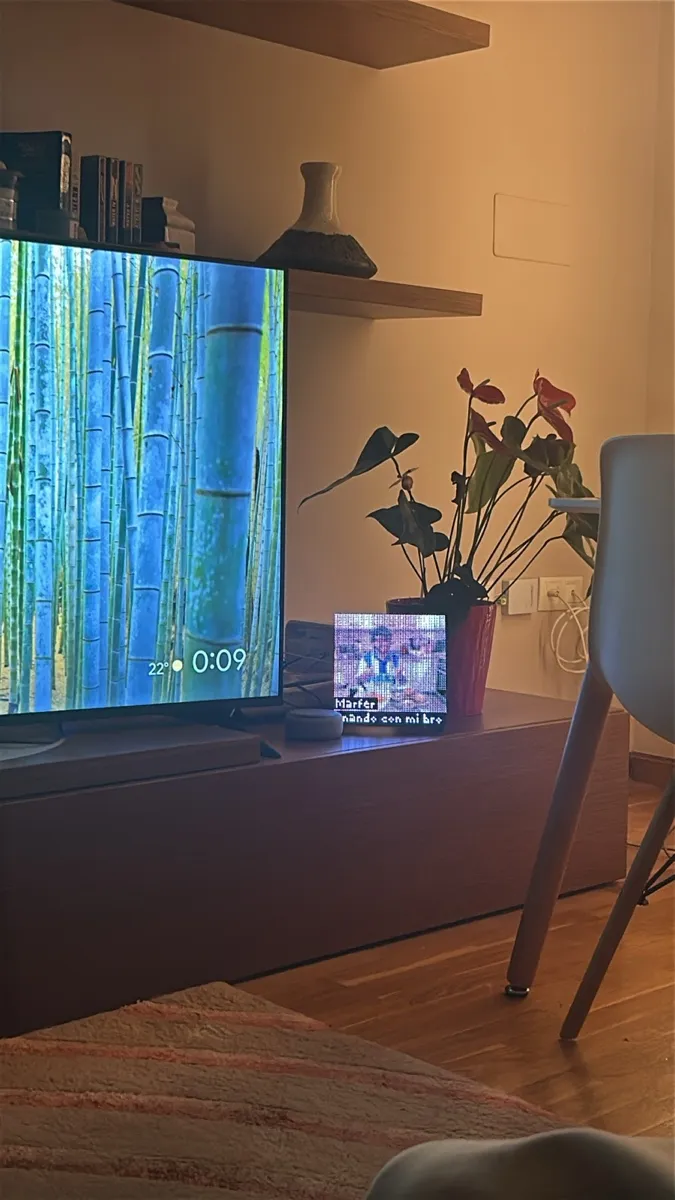
To be honest about what it isn't: Frame is not a pixel art gadget. It has no community gallery and no clock faces to browse. If what you want is a screen for your own art and other people's, a Pixoo is the better fit.
I built it because my job took me to Valencia, almost 1,000 km from my parents, my brother and my friends, and I wanted to feel them close without having to pull out my phone. You can read the whole story here.
You can't buy Frame yet. It launches on Kickstarter on February 1, 2027. Reserving a Founders spot costs 1 € and gets it for 75 € ($85 in the US and Canada).
Summary
- Faces and pets work best when they fill the canvas.
- Skies, food and icons are the easiest ideas to start with.
- Keep text to one short word and animations to one moving part.
- Use 8 to 16 colours, outlines where you need them and strong contrast.
- Avoid crowds, fine textures and very dark scenes.
And if you'd like a 64x64 panel at home that lights up with photos and drawings from the people you love, leave your email below. People on the list get the link on launch day, and whoever reserves gets it for 75 € ($85). You can also see how Frame works on the home page.
Best,
Álvaro M.