
A small pixel drawing is one of the nicest things you can make for someone. It doesn't need talent, it doesn't need expensive tools, and it says "I spent an evening thinking about you" better than most things you can buy.
The hard part is choosing what to draw so that it still looks cute on a tiny grid. I spend a lot of time looking at images at 64x64, because I build Frame, an LED frame with a 64x64 grid. This guide is a list of couple ideas that work small, whether he's your boyfriend, she's your girlfriend or you just call each other "babe". For each idea I explain why it works and give you one concrete tip. After that there's a simple step by step and some ideas for what to do with the drawing once it's finished.
The pixel art images in this guide are simple illustrations I made for it, so you can see each idea at real pixel size. They're enlarged 8 times with nearest neighbour so every pixel stays a crisp square.
The short answer
- Easiest ideas: a heart with your initials, your pet's face, a small symbol only the two of you understand.
- Most special: the two of your faces side by side, or the place where you met.
- Rule of thumb: one idea per drawing, big shapes, a small palette and strong contrast.
- Grid size: 16x16 if it's your first one, 32x32 for most ideas, 64x64 if you want faces with expression.
1. The two of you, side by side
This is the classic couple pixel art, and for good reason. Two little faces next to each other are instantly "us".
Why it works small: faces are what our brain recognises best. Two eyes, a mouth and the shape of the hair are enough. What makes each face yours is the hair: colour, length, a fringe, a beard, glasses.
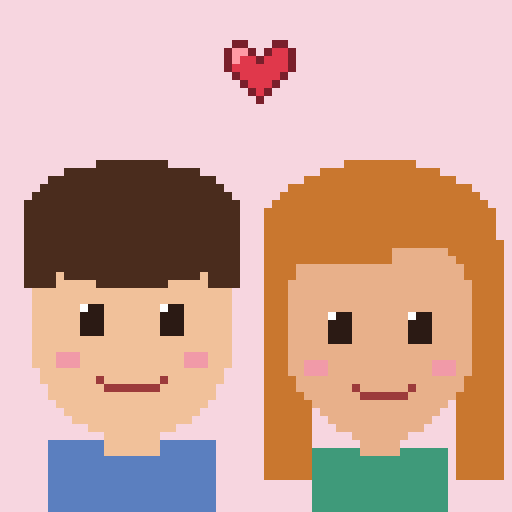
In this 64x64 drawing each face is about 25 pixels wide. That's enough for eyes of 3x4 pixels, pink cheeks and a small smile, and the two hairstyles tell you straight away that they're two different people.
Tip: draw heads and shoulders only, no full bodies. Two full bodies on a small grid leave each face at a handful of pixels and you lose the expression. Pick the one or two features everybody would recognise (his beard, your curls, the glasses one of you always wears) and exaggerate them.
2. Your pet
If you share a dog, a cat or a rabbit, drawing it is a safe bet. Pets are often easier than people, and nobody complains that the drawing makes their nose look big.
Why it works small: animals have very recognisable shapes. Ears and colour patches tell you who it is before any detail does.
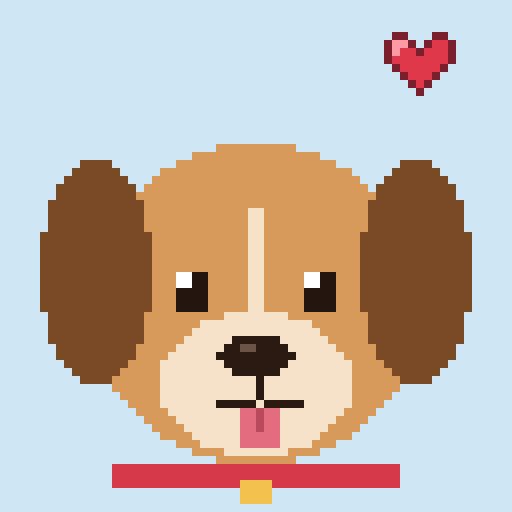
Tip: draw the face close up, filling the canvas, and copy its real markings: the white patch on the chest, the one dark ear, the colour of the collar. Those details are what turn "a dog" into your dog. A tongue out or a tiny heart next to it is the easiest way to make it cute.
3. An inside joke
The best couple pixel art is often the one nobody else understands. The mug he always steals, the plant you both keep forgetting to water, the snack you fight over, the nickname you use for each other.
Why it works small: most inside jokes are objects, and objects are perfect for pixel art. A single object on a plain background reads clearly even at 16x16.
Tip: keep it to one object and let the joke do the rest. Don't try to draw the whole story; draw the thing that makes you both laugh when you see it. A dark outline around it keeps it clear on any background.
4. Initials or a date
Your initials inside a heart, or the date of your first date, your anniversary or the day you moved in together.
Why it works small: letters and numbers are made of straight lines, and straight lines are exactly what pixels do well. Short text is also the most readable thing on a small grid.
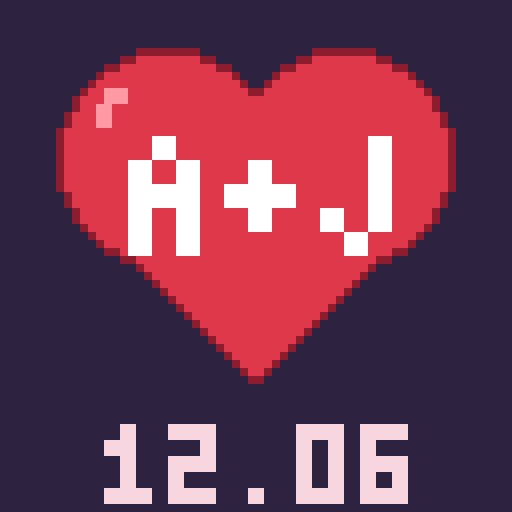
The letters here are a tiny font of 3x5 pixels, drawn 3 times bigger, and the date uses the same font at double size. That's all the text this canvas can hold comfortably.
Tip: keep the text very short, like two initials and a plus sign, or a date with four digits. Use a simple blocky font and give it strong contrast: white on red, or light on dark. Leave at least one empty pixel between the text and the edge of the heart.
5. Small symbols
A heart, a star, a moon and a sun, two puzzle pieces, a key and a lock, two cups of coffee, a pair of matching socks.
Why it works small: symbols were made to be read at a glance. They also look great in pairs, which is the whole point of a couple drawing.
Tip: draw the pair the same size, side by side, in two colours that go together. Two hearts with slightly different colours or a moon and a sun facing each other look intentional and take very little time. This is the best idea if it's your first pixel drawing.
6. A place you share
The café where you met, your first flat, the beach you always go back to, the city where one of you lives if you're far apart.
Why it works small: one landmark and a sky are enough to recognise a place. A sky is just bands of colour, and bands are easy.
Why it fails: a full street with shops, people and cars gives each element two or three pixels and turns into noise.
Tip: choose a single landmark and make it big: the café door, the lighthouse, the bench, a famous tower. Put a sky behind it in 3 or 4 flat bands, sunset colours if you want it to feel romantic. If you'd rather start from a real photo of the place, my guide on how to convert a photo to 64x64 pixel art shows which photos survive the shrink.
7. Seasonal ones
- Valentine's Day: a heart with a face, a love letter, a box of chocolates.
- Winter: the two of you in matching hats, two mugs of hot chocolate, a snowman couple.
- Summer: two ice creams, a beach umbrella, a sunset over the sea.
- Birthdays: a small cake with candles, a present with a bow, his favourite food.
Tip: let one colour carry the occasion: red and pink for Valentine's, white and pale blue for winter, orange for a sunset. Keep the rest of the palette simple and the drawing will feel festive without any extra detail.
How to draw it, step by step
- Pick the grid size. 16x16 is great for a first try and for symbols; you can finish one in an evening. 32x32 fits most ideas on this list. 64x64 gives you enough room for faces with real expressions.
- Pick a small palette. 4 to 8 colours are plenty for a 16x16 symbol, and around 12 are enough for two faces at 64x64. Choose a light background, one or two main colours, a dark colour for outlines and eyes, and a pink for cheeks. If you'd like a ready made palette, the Lospec palette list is a database of pixel art palettes you can filter by number of colours.
- Block in the shape. Fill the silhouette with one flat colour first. If you can tell what it is like that, you're on the right track.
- Add an outline. A one pixel dark outline around the main shape keeps it clear. It doesn't have to be black; a very dark version of the shape's own colour looks softer.
- Add the cute details. Eyes as small blocks of 2 or 3 pixels, a white pixel of shine in each eye, two pink pixels of blush on the cheeks. Those three tricks do most of the work.
- Check the contrast. Zoom out to 100% and look at it from a distance. If the shape melts into the background, make the background lighter or darker.
- Export as PNG, never JPG. JPG compression smears the edges of every pixel.
For the drawing itself, Piskel is a free pixel art editor that runs in the browser, with free desktop and offline versions for Windows, Mac and Linux. It also handles animation, so you can make a heart beat or a face blink and export it as an animated GIF.
If you're stuck on what to draw at the bigger size, I wrote a longer list of 64x64 pixel art ideas with tips for faces, pets, skies, text and short animations.
What to do with it afterwards
A drawing that stays in a folder on your computer is a bit sad. Some ways to give it:
- Print it. Enlarge it first by a whole number, like 8 or 16 times, using nearest neighbour scaling, so every pixel stays a sharp square instead of a blurry blob. Then print it as a small poster or a card.
- Make it their phone wallpaper. Put the drawing in the middle of a phone sized image with a plain background in the same colour, enlarged the same way, and send it.
- Turn it into bead art. Fuse beads work like pixels: each pixel of your drawing becomes one bead. A 16x16 or 32x32 drawing with a few colours translates directly, and you end up with something they can hang or use as a coaster.
- Animate it and send it as a GIF. A two frame blink or a beating heart turns a drawing into a message.
- Send it to a pixel frame. If they have an LED pixel display at home, your drawing can light up on their shelf. Pixel art looks its best on real glowing pixels.
Where Frame fits
That last idea is the reason I built Frame. It's a frame with a 64x64 LED grid that lives in your home. The people you love open the free Frame app (iPhone and Android, no subscription), take or choose a photo, and it shows up on your Frame as pixel art, wherever they are. They can also send drawings and short videos, so a drawing you make for him can light up in his living room, even if he lives in another city.
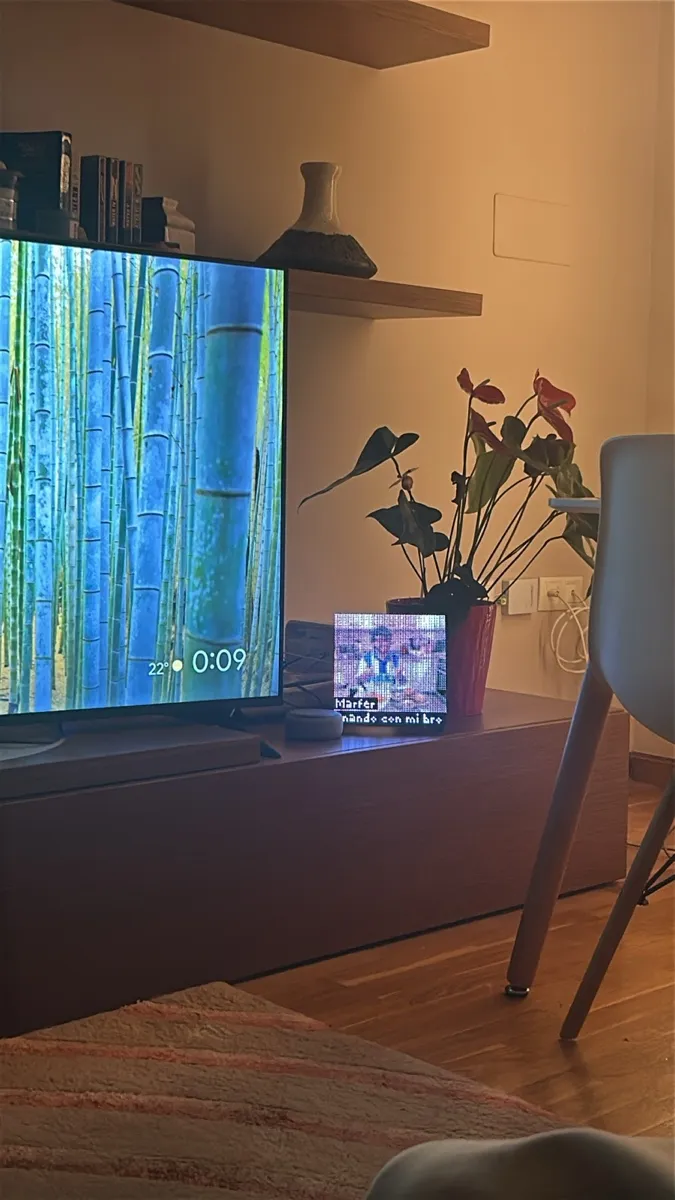
To be honest about what it isn't: Frame is not a pixel art gadget. It has no community gallery and no clock faces to browse. It's made for photos and drawings from the people you love. If what you're after are long distance gadgets in general, I compared lamps, bracelets, message boxes and frames in my guide to tech gifts for long distance couples.
I built it because my job took me to Valencia, almost 1,000 km from my parents, my brother and my friends, and I wanted to feel them close without having to pull out my phone. You can read the whole story here.
You can't buy Frame yet. It launches on Kickstarter on February 1, 2027, so it's not a gift for this Christmas. Reserving a Founders spot costs 1 € and gets it for 75 € ($85 in the US and Canada).
Summary
- The two of your faces, your pet, an inside joke, your initials or a date are the ideas that work best small.
- Draw one idea per drawing, heads instead of full bodies, and exaggerate the features that make you you.
- Start at 16x16 or 32x32, use a small palette, add an outline and check the contrast.
- Piskel is free and runs in the browser.
- Give it as a print, a wallpaper, bead art, a GIF or on a pixel frame.
And if you'd like a 64x64 panel at home that lights up with photos and drawings from the people you love, leave your email below. People on the list get the link on launch day, and whoever reserves gets it for 75 € ($85). You can also see how Frame works on the home page.
Best,
Álvaro M.